Monday, 14 January 2013

Cyanogenmod 7.2 for HTC EXPLORER


FINALLY THE GREAT GUYS HERE ARE SUCCESSFULL IN BRINGING CYANOGENMOD 7.2 FOR OUR BELOVED EXPLORER
Quote:
cyanogenmod 7.2 is a free, community built, aftermarket firmware distribution of android 2.3.7 (gingerbread), which is designed to increase performance and reliability over stock android for your device.
CyanogenMod is based on the Android Open Source Project with extra contributions from many people within the Android community. It can be used without any need to have any Google application installed. Linked below is a package that has come from another Android project that restore the Google parts. CyanogenMod does still include various hardware-specific code, which is also slowly being open-sourced anyway.

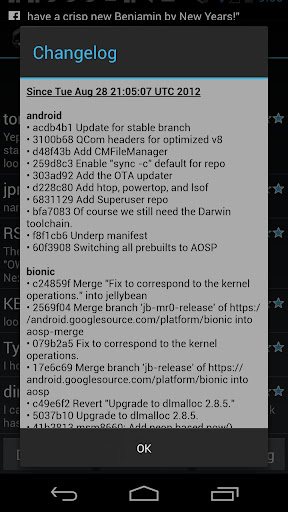
All the source code for CyanogenMod is available in the CyanogenMod Github repo. And if you would like to contribute to CyanogenMod, please visit out Gerrit Code Review. You can also view the Changelog for a full list of changes & features.


Code:
desclaimer--
#you are flashing this rom (which i may add is awesome) on your own risk
#we are not responsible for any bricked devices or fried sd cards
FIRST OF ALL I HAVE NO HAND IN COMPILING THIS ROM I AM JUST BUILDING A NEW NOOB FRIENDLY THREAD (No offence to noobs as i am kinda one myself  ) CREDITS BELOW

Quote:
Working Features--
- WiFi
- Hardware acceleration
- RIL
- Gps
- Audio 
- Usb Mass Storage
- Bluetooth 
- USB Tethering
- Fm Radio
- Everything else except below

Not Working--
- Camera
- Phone sometimes reboots when playing videos
NOW INTRUCTIONS--
[
--Unlock bootloader and root your explorer (if you haven't already) follow this link http://forum.xda-developers.com/show....php?t=1415223 to root. Dont create a partition just yet.
--Download cm-7-20120807-UNOFFICIAL BUILD #4-pico.zip from mediafire link below and copy it anywhere on sdcard.
--Download gaaps from link below and copy it on sdcard
--Boot into recovery
-- (optional but recommended) go to backup and restore and select backup. This will backup your phone just as it is so that if u ever wanna revert back you can just restore from recovery. (Thanx Liverpool_fan for tip)
--Go into mounts and storage and format /system and /boot and come back and wipe data/factory reset (even if you have any custom rom installed)
--Select Install zip from sdcard-> choose zip from sdcard-> browse to where you have copied the zip file and select it
--Wait for the installation to complete and download latest kernel from link below and flash it in recovery. (format of kernal MDD so update to the latest one)
--flash gaaps to install basic google apps.
--Now select reboot and wait for your phone to boot up.
--If you want to move your dalvik cache to sdext first you will have to partition your sd card. 512mb partition is enough. Use minitoolwizard to partition your sdcard. Partition it in only ext2, ext3 or ext4 format because fat32 is not supported. You can also use recovery (advanced>partition sdcard) to partition but it will erase all data on your sdcard so back it up.
--Now dowload a2sd.zip (credit- Sakindia) and flash it through recovery. You can find a2sd.zip where the kernals are uploaded (check below)
--Reboot and go into Terminal emulator and type "a2sd cachesd" (without quotes)
--Wait for the working to finish and reboot. You have 148mb internal memory free now. 
--Alternatively people are saying that s2e is more stable. So download s2e from play store.
--check everything except application data. Reboot.
NOTE: Either flash a2sd or install s2e. 
--Enjoy.!!
(OPTIONAL)--
--Download titanium backup and come to the app list now long press on any app and select move data to sd. It will ask you to create a directory, accept! Now select menu button while still in titanium backup and select batch. Come down to option "move app data to sd". Run it to get more internal memory but I recommend to use class 6 sdcard if you are moving app data.

Quote:
LINK FOR KERNALS AND A2SD(CREDIT- sakindia)--
http://goo.im/devs/sakindia123
Quote:
LINK FOR BUILD #2
http://www.sendspace.com/file/h8s855
Quote:
LINK FOR BUILD #3
http://www.sendspace.com/file/x14u9i
Quote:
If you want to help in development or want the source code check out this link
http://forum.xda-developers.com/show....php?t=1793026

Now importantly THE CREDITS--
- lirokoa
- derefas
- LiVeRpOoL-FaN
- rom2maru
- sakindia

AGAIN I HAVE NO HAND IN DEVELOPMENT OF THIS PORT
                                                                    -XDA

Friday, 11 January 2013

SwitchPro Widget 2.2.5 (v2.2.5) Apk


SwitchPro Widget
SwitchPro Widget v2.2.5 Apk for Android  a nimble, easy to use, elegant switch/toggle widget, support custom icon color and backgrounds, custom number of buttons/controls, and scheduled turn on/turn off features.
Updated: 11 January 2013
Current Version 2.2.5
Requires Android 2.1 and up
Category: Tools


SwitchPro Widget Supported Toggle Actions


  • Wi-Fi
  • Data Connection
  • Bluetooth
  • Brightness
  • GPS
  • Auto-sync
  • Auto-Rotate
  • Screen Always On
  • Airplane Mode
  • Reload SD
  • Vibration/Silent
  • 3G-2G (shortcut)
  • Battery
  • Flashlight
  • Unlock Pattern
  • Reboot(rooted)
  • Speaker Mode
  • Auto-Screen Lock
  • 4G(EVO)
  • Mount SD
  • Wi-Fi Hotspot (2.2+)
  • USB Tether (2.2+)
  • Lock Screen (2.2+)
  • Wi-Fi Sleep Policy

What new in SwitchPro Widget v2.2.5


SwitchPro Widget SwitchPro Widget SwitchPro Widget SwitchPro Widget

Contributed By Universalstuffforall.blogspot.in

DOWNLOAD SwitchPro Widget 2.2.5

free download Download on Google Play

Thursday, 10 January 2013

Deep Sleep Battery Saver Pro v1.51 Apk


Deep Sleep Battery Saver Pro v1.51


 Requirements: Android 2.1+
 Overview: Deep Sleep Battery Saver Pro


 During deepsleep mode, Wifi, 3G are turned off, background apps are stopped. Therefore, most apps are not working, including Facebook, Google Service, etc,. It then constantly wakes up in order to download email, sync Facebook status, etc,. It's defined by deepsleep frequency and woke up duration

 In advanced mode (PRO), you can customize more parameters, including day/night settings, active period, screen timeout, sync strategy, ignored apps, etc,

 Features:
 5 pre-defined profiles: Gentle, Balance, Strong, Aggressive, Slumberer. They varies on frequency, duration and other settings. The former is less disruptive, but save less battery and vise versa
 Custom profile (PRO) - for advanced users. If you need more customization, select this profile and modify it
 Custom profile settings
 Separate between weekday vs weekend settings
 Frequency: device is turned on DS mode at a selected frequency
 Duration: device is woke up after for a selected duration after a each frequency cycle
 Wileless & network: control radio setting during DS on
 Sync: Control sync strategy and sync account, auto-sync
 Apps: Select apps that will be stopped during DS on
 CPU: Process twist - root only
 Night period: During this period, device is always in DS mode
 General settings
 Screen off delay: a short delay before DS start. This option is used to avoid quick screen toggles
 Whitelist: Apps are always ignored when DS on, such as online music player
 Ingored recent apps: ignore recent apps
 Use APN settings: twist 3G/4G/mobile data toggler
 Check background data: If selected, it will ignore DS mode if traffic is above a defined threshold
 Traffic threshold & traffic sampling frequency
 Notice:
 During deep sleep mode on, this app may disrupt your normal activities, such as your email notification comes with larger delay
 If your setting (ex. Wifi) is off, DS Battery Saver does not control it during DS mode on
 Languages: English, Français, Tiếng Việt

 What's in this version:
 V 1.51
 - Fixed 3g does not toggle
 V 1.5
 - Support Deep Sleep whitelist apps
 - Support force Airplane mode during night period
 - Support on/off WiMax/4G (experimental)
 - Support Until screen on option in deep sleep frequency
 - Support airplane mode for Android 4.2 with root (Android 2.1-4.1 does not require root)


 Download
http://ul.to/fsider0c

 Mirror
http://datacloud.to/download/68e75468/yyyydsofsd-rar
Contributed by Universalstuffforall.blogspot.in

Saturday, 5 January 2013

Bacteria Arcade Edition v1.1 APK


Defend your cells from alien bacteria attack in this 60hz retro arcade game!


Classic 60hz retro arcade game action with addictive gameplay.

Defend your cells from alien bacteria attack!!!

Three levels of difficulty: Novice, Arcade, and Insane!

Blast your way through multiple waves of attacking bacteria.

Inspired by multiple classic arcade games.

Required Android O/S : 2.2+


Screenshots :
     
Download : 5Mb APK

Contributed by Universalstuffforall.blogspot.in

AOKP JB Milestone #1 [4.1.2] Rom


Hi Guys Here is another custom Rom for Samsung galaxy Ace. So if you want to have look and feel of latest Google's phone operating system Android JellyBean on your Samsung Galaxy Ace then you can try this custom Rom. This custom Rom for Samsung galaxy Ace has lots features and has same theme support with CM10. This custom Rom is developed and shared on XDA by Senior Member msnnsm so don't forget to thanks him. AOKP JB Milestone #1 4.1.2 Rom for Samsung galaxy Ace gt-s5830. As AOKP released its major update – AOKP JB Milestone 1 for all the supported devices along with Android 4.1.2 few weeks back and now with this port we can enjoy it on our galaxy Ace. 
Features: 

· Android 4.1.2

· Superuser & Busybox preinstalled

· Deodexed

· 180 Degree rotation

· Built in performance/init.d configuration (Thanks Kejar & company)

· Custom Power Menu

· Brightness slider in navigation bar.

· Custom color for anything in RC

· Custom Clock Color/Location: Right, Center, Disable

· Battery Icon/ Color Picker: CircleMod, Bar, Text Only, Icon Only, Icon+Text or None

· Battery Bar in Status Bar or Nav Bar, Bar Thickness, Charging animation

· Nav Bar Transparency

· Nav Bar Button Reorder: Back-Home-Search-Menu

· Nav Bar Color Picker

· Nav Bar Button Glow Duration: Off, Fast, Slow

· Nav Bar: Long press to Search button

· Nav Bar Hide on Lock-screen

· Toggles in Pull Down Menu: Auto rotate, Bluetooth, GPS, Wi-Fi, Aiplane mode, Vibrate, Silent, Sync, Data, 4G, Tethering, Torch, Brightness

· 'Traditional' toggle layout (where the toggle are on the very top) -- find in RC > Statusbar General > Layout

· LCD Density (Careful with this)

· Menu Button location: Right, Left, both, Remove

· Menu Button Visibility: Always show, Always show Invisible Icons

· Lock-screen Style: Stock, Quad, Octo, ol' gingerbread

· Lock-screen Wallpaper

· Lock-screen color changer

· Lock screen calendar

· Lock-screen SMS customizable shortcut (with icons)

· Lock-screen Horizontal Option

· Performance Menu: (Use With Caution) Max/ Min CPU, Scaling Governor

· Unlock Screen with Legacy Menu Icon

· Volume Key to Wake Screen

· Volume Key to Skip Tracks

· Long-press back button to kill process

· Disable CRT off animation

· LED pulse settings (time on/off)

· ICS ringtones/notification sounds

· Customize carrier text to whatever.

· Power Menu options: Boot to recovery/ Boot loader, Reboot, Screenshot

· Facebook contact sync integration (must wipe to get this)

· Disable Boot animation

· Keyboard: Volume keys act as a cursor while typing -- disable in keyboard options

· Long press home for recent apps (thanks brucekey)

· Quick torch (enable in Rom-control, long press power when phone turned off. See the magic.)

· Fast charge toggle for maguro/toro for kernels that support it

· Weather-panel in notification drawer[/COLOR]

· Weather on lock-screen.

Bugs:

· Same as cm10 bugs.

Warning:
Use at your own Risk! This Rom is meant for Samsung Galaxy Ace model GT-S5830 Do not use on other Device. We will not be held responsible for any damage to your device.


Requirement:


Installation Instruction:

· Download the ROM file and CWM file then place them in the root of your phones sdcard.

· Reboot to recovery mode using combination of 3 button (Home Key+Volume Up Key + Power Key) together.

· In recovery mode use volume up and down to move up and down, home as selection button and power as back.

· Now select "apply update from sdcard" and select the CWM file "ClockWorkRec5830i.zip" this will take you to clockworkmod recovery.

· Wipe Data/Factory Reset,

· Wipe Cache Partition,

· Advanced/ wipe dalvik cache

· Advanced/ wipe battery stats

· After that Select install zip from sd and then "choose zip from sdcard" and select Rom File "AOKP JB Milestone #1" and then ok

· Flashing should begin let the process complete successfully and reboot.

· Remember first boot may take longer then normal boot some times say 10 minutes in case If blue screen appears at boot close phone and reboot there is no problem.(You can close phone with pressing power and volume down button at the same time for 10-15 seconds)

· Install Gapps

Congratulation! you have learned how to successfully install AOKP JB Milestone #1 custom Rom on Samsung Galaxy Ace S5830. In case you notice bug post on thread page so developer may fix on next update Source . 


 Contributed by Universalstuffforall.blogspot.in

Thursday, 3 January 2013

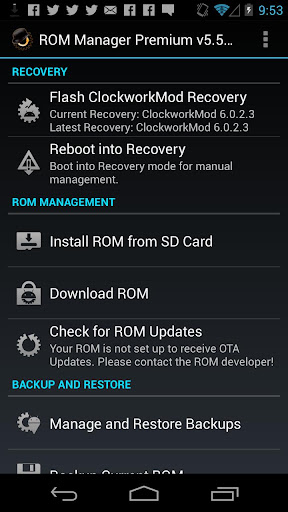
ROM Manager (Premium) v5.5.1.5 APK


Must have app for any root user. Make backups, flash ROMs, and own your device!


 Must have app for any root user. Make backups, flash ROMs, and own your device. ROM Manager is THE MUST HAVE APP for any Android root user. (Over 3 million downloads and counting!) 
Features:
Flash your recovery to the latest and greatest ClockworkMod recovery.
Manage your ROMs via a handy UI.
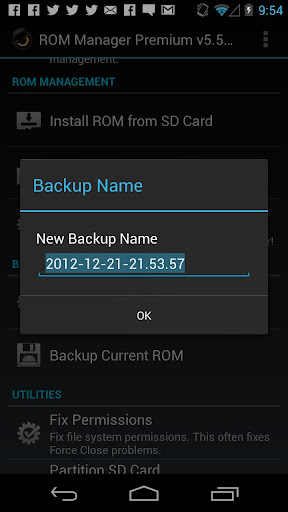
Organize and perform backups and restores from within Android!
Install ROMs from your SD card.
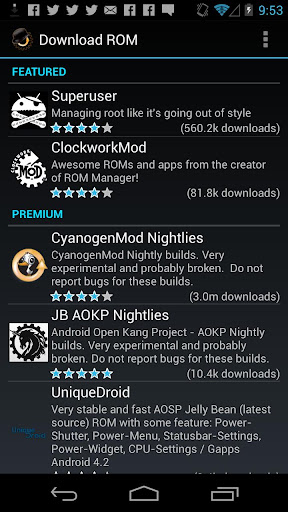
Install your favorite ROMs over the air!
Premium Version:
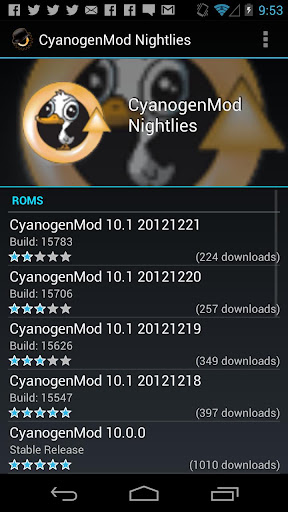
Premium ROMs
Receive notifications for when your ROM is updated!
Automatic backups
Install from QR Code
Web Connect
Support
Do you prefer using only recovery manually? Check out the Touch Recovery in app purchase, for the most advanced recovery available!

What's in this version : (Updated : Jan 3, 2013)

External SD card support is fixed on devices running Android 4.0+ and CWM 6+.
Required Android O/S : 2.2+

Screenshots :
     
Download : 2.5Mb APK 


Contributed by Universalstuffforall.blogspot.in

FACEinHOLE v3.3.1 APK {cool app}


Contributed by Universalstuffforall.blogspot.in

Who do you want to be today?


Who do you want to be today?
 ★ Turn yourself into a movie star, a supermodel, a rock band member, ...
 ★ Access over 200.000 scenarios 
 ★ Multiple person scenarios

What's in this version : (Updated : Jan 3, 2013)

FIXED startup crash on older android versions
Image Search
Post to Twitter
Post to Google+
Delete all created scenarios
Fix Video zoom problem
New improved and optimized scenario list(previous and next removed)
Optimized and improved loading of scenarios and with progress indicator
Required Android O/S : 1.6+

Screenshots :
   
Download : 11Mb APK


CircleLauncher v2.2 Apk


CircleLauncher


Start your apps or call your best friends – but with style!
This widget will help you to start your prefered apps or call your best friends – but with style!
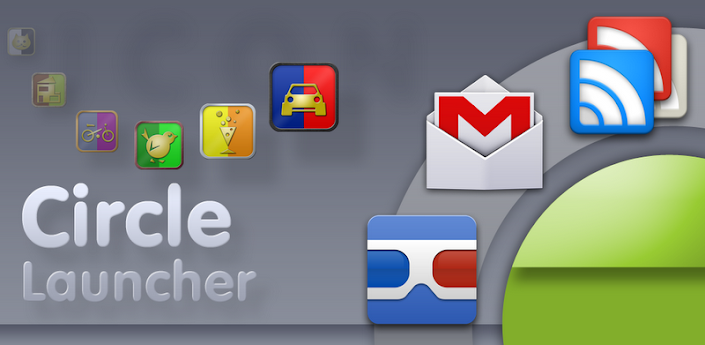
You can add some frequently used apps, contacts or bookmarks to this launcher and start those apps, contacts or bookmarks with one click from a circle, a horizontal or a vertical line. Use the included launcher icons, load your own image or use a icon from any icon pack (CircleLauncher icon packs and ADW launcher icon packs supported). If you slide over the icons, they are animated a little bit mac-like … just try it!
There are some issues with Android 3.x (and ICS): There is a default shortcut at the home screen that will be created after the installation – this shortcut works only for apps, but the CircleLauncher is a widget and has to be added to the home screen using the widget selection … the shortcut will not work and can be deleted. Also some devices need a restart (or wait a few hours) until the new installed widget appears in the widget list. But at the moment, I don’t know the reason …
Additional features in the full version:
- custom icons for the icon on the homescreen
- support for ADW icon packs for the icon on the homescreen
- vertical and horizontal launcher versions
Some icons in the screenshots are from ‘CircleLauncher IconPack One’ and the wallpaper is ‘wp clock’.
Please don’t move the app to the sd card – it won’t work!
Download(Tusfiles)

Wednesday, 2 January 2013

Floating Image v3.4.20

Requirements: Android 1.6+ Overview: Images float across your screen from Picasa, Flickr, Facebook and your phone.


Images float across your screen from Picasa, Flickr, Facebook and your phone.
Animated 3D OpenGL image gallery, Live Wallpaper and Photo Frame. Supports Flickr, Phone, Picasa, 500px, Photobucket, rss and Facebook. Also, multitouch.
Images are flowing by on your screen in a steady stream.
Some people are really happy with it. Give it a shot!
Try pressing “Menu”. Lots of exciting stuff behind that button!
Live wallpaper uses battery. If you want it to use less battery, there are a couple of things you can do:
* Disable shadows.
* Use the framerate limiter (it’s in the menu somewhere)
* Use local images only.
* Decrease the floating speed.
* Beg me to optimize. It probably won’t help, but you will feel like you have contributed!
This application cannot read your sms/mms’s! This also means that this application cannot show images from your texts. This is by design, and will not be changed, as it makes your fellow users sad.
Whats New:
* New option: Pause floating images when selecting image.
* select all subfolders now lets you deselect those you don’t want.
* Subfolders called “thumbnail” or “thumbnails” are now ignored (Let me know if this is an issue for you).

Download Instructions: http://ul.to/5fe37pz0
Mirror http://wizzupload.com/79ubfhrzwr1l.html

Contributed by Universalstuffforall.blogspot.in


Tuesday, 1 January 2013

SwiftKey 3 Keyboard Apk


Unlock your typing potential.
✮✮✮50% off holiday sale✮✮✮
Get SwiftKey 3 – the best keyboard on Android!
#1 selling app in 38 countries - over 1 ½ million sold
60,000 5✮ reviews
Multiple award-winner, including “Most Innovative Mobile App”
Don’t miss out – get SwiftKey today
✮ Webby Awards People’s Voice Winner for Innovation, 2012 ✮
✮ Mobile World Congress Award Winner for Innovation, 2012 ✮
Meet the world’s smartest touchscreen keyboard for Android.
SwiftKey 3 understands how words work together, giving much more accurate corrections and predictions than other keyboards. Very sloppy typing will magically make sense, even if you miss spaces, and SwiftKey 3 also predicts your next words.
SwiftKey 3 learns the words and phrases you use, and how you interact with your keyboard as you use it, to make typing easier and even more accurate over time. You can also personalize it using your Gmail, Facebook, Twitter or blog posts.
SwiftKey is among Android's best selling apps for a reason -- it transforms your keyboard, making typing a breeze and saving you hassle every day.

FULL LANGUAGE SUPPORT:
English (US)
English (UK)
English (AU)
Afrikaans
Arabic
Armenian
Azerbaijani
Basque
Bulgarian
Catalan
Croatian
Czech
Danish
Dutch
Estonian
Finnish
French (CA)
French (FR)
Galician
Georgian
German
Greek
Hebrew
Hindi
Hinglish
Hungarian
Icelandic
Indonesian
Irish
Italian
Kazakh
Korean
Latvian
Lithuanian
Macedonian
Malay
Norwegian
Persian (Farsi)
Polish
Portuguese (BR)
Portuguese (PT)
Romanian
Russian
Serbian
Slovak
Slovenian
Spanish (ES)
Spanish (US)
Spanish (LA)
Swedish
Tagalog
Turkish
Ukrainian
Urdu
~~~
Download Apk
Watch This:-