Saturday, 29 December 2012

3D New Year Countdown v2.071P APK


Stunning 3D live wallpaper featuring a sparkling countdown to the New Year!


3D New Year Countdown 
Google play link: play.google.com.xmastreewallpaperpaid
Let your phone count you down to 2013!
'3D New Year Countdown’ is a stunning 3D live wallpaper featuring a sparkling countdown to the New Year together with a Happy New Year scene with fireworks.


This version also features, a Christmas Tree of Light, a super realistic 3D Snow Scene, a magical Sky Lanterns scene to celebrate the Chinese / Lunar New Year, plus a bonus Valentine's day scene, and by popular demand a dedicated Fireworks scene! (That's 7-Wallpapers-in-1!)


All scenes come with countless customization options, can be enjoyed both as a live wallpaper background or as a fully interactive foreground app where you can look around freely, and quickly customise your settings.


Features:
Christmas Tree scene (with 5 animated camera motions)
Countdown scene (Countdown to Christmas, New Year's Countdown, and more!)
Happy New Year scene (with fireworks!)
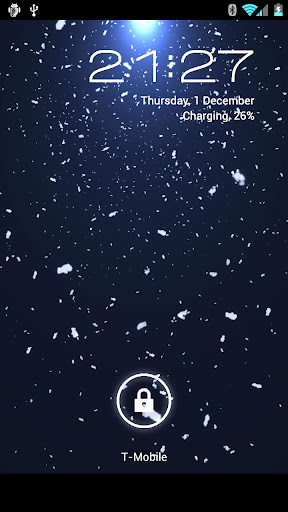
3D Snow scene (day or night)
Sky Lanterns scene
Fireworks scene
Valentine's Day scene
The ability to choose any combination of your favourite scenes above for rotation.
A range of vibrant colour schemes, with a beautiful colour cycling mode that sweeps through all the colours of the rainbow.
Gorgeous glowing background light or flare spotlight with shimmering sunbeams.
Choose your favourite camera angles and 3D animation fly-bys.
Snowfall amount and speed.
Additional tree lights.
Exciting 3D Fireworks!
HD options to increase display quality. Great for tablets!
Lots of performance options to help run smoothly and save battery power.
32-bit colour mode for smoother colours.
Option to count down in either rounded-up days (the traditional days-to-Christmas method), or a fully accurate and nail-biting Days, Hours, Minutes and Seconds method.
Screen positioning and zoom options.
and lots lots more to play with!
Have Fun! :)


What's in this version : (Updated : Dec 27, 2012)
With this update we are looking ahead to the new year!
We have temporarily renamed the app to '3D New Year Countdown'.
Hope you all enjoy the countdown! Happy New Year! Jetblack Software.
P.S. Please make sure your phone clock is set to the correct time to ensure the countdown hits the New Year!
Required Android O/S : 2.2+


Screenshots :


DOWNLOAD APK.


Presented by: http://universalstuffforall.blogspot.in/

Fantasy Adventure v1.0.2 APK


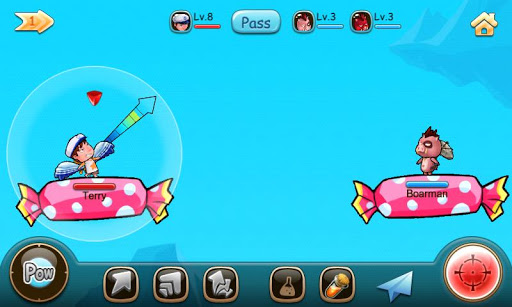
Pick up your weapon and start the fantasy adventure now!


Fantasy Adventure 
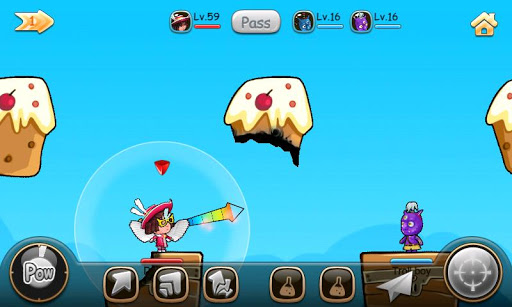
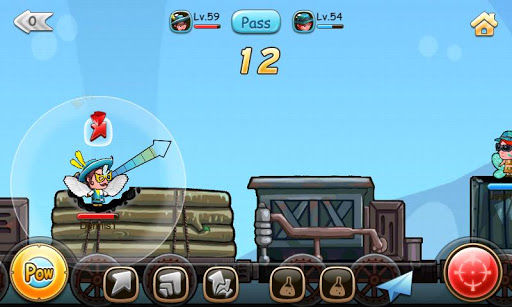
Lovely characters, abundant battle maps, fancy equipment, multiple skills and items are waiting for you!
Hold and release to fire. 
Skills and items help you to win battle.
Enhance your equipment to be stronger.
Abundant battle maps and weapons.
More than 50 Achievements to be completed.
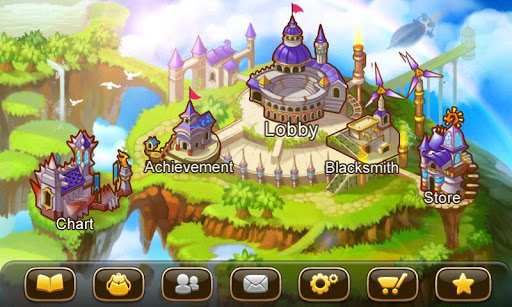
Daily, historical and equipment charts. 
Challenging scenario mode.
Are you the Adventurer on the chart?

What's in this version : (Updated : Dec 27, 2012)
Bug fixes
Required Android O/S : 2.3+


Screenshots :

Download : 23Mb APK


Presented by: http://universalstuffforall.blogspot.in/

iDisplay v2.4.3 Apk App


iDisplay v2.4.3


iDisplay v2.4.3
Requirements: Android 2.1+
Overview: Turn your Android tablet or phone into additional display for your Mac or Windows computer. Increase your personal productivity by extending your computer screen! Perfect tool for multitaskers, iDisplay lets you use your Android as interactive wireless display to give you more screen real estate.


 Turn your Android device into the second monitor for your Mac or Windows PC!

 Turn your Android tablet or phone into additional display for your Mac or Windows computer. Increase your personal productivity by extending your computer screen! Perfect tool for multitaskers, iDisplay lets you use your Android as interactive wireless display to give you more screen real estate.

 "That's: brilliant. I mean, I can think of about a billion uses for this." -MobileCrunch

 Why choose iDisplay over hardware display?

 - Your Android can be your secondary display
 - Works with both Mac and Windows computers
 - Choose between WiFi and USB connection options: whichever is more suitable in any particular situation
 - iDisplay lets you interact with your additional display: move objects, draw, control playback
 - Zoom and Pan your desktop right on your Android
 - Easily switch between portrait and landscape screen orientations: simply rotate your device and it will adjust automatically
 - Perfect fit for any Android screen resolution

 COMPATIBILITY:

 Android OS 2.1 or later

 Mac OS X
 iDisplay Desktop application needs to be installed on your Mac.
 iDisplay Desktop is free and can be downloaded anytime at getidisplay.com
 iDisplay is compatible with Intel-based Macs running on Mac OS X 10.5 and later.

 WINDOWS
 iDisplay Desktop application needs to be installed on your PC.
 iDisplay Desktop is free and can be downloaded anytime at getidisplay.com
 iDisplay is compatible with Windows XP (32-bit only), Windows Vista (32- and 64-bit) and Windows 7 (32- and 64-bit), Windows 8.
 Windows 7 Starter Edition is not supported.
 For Windows Vista and Windows 7 "Aero" theme may be disabled when connected to iDisplay and will be re-enabled upon disconnection).

 NETWORK CONNECTIVITY
 Your computer and Android must be connected to the same Wi-Fi network.

 NOTE: Video playback on iDisplay may be laggy. We're working on its optimization, please make sure to keep your iDisplay up to date!

 What's in this version :
 Version 2.4.3
 - Battеry indicator
 - 3 fingers scrolling option

https://play.google.com/store/apps/details?id=com.idisplay.virtualscreen
Download Instructions:
http://ul.to/c2jtbvf3 


Presented by: http://universalstuffforall.blogspot.in/

Music Player (Remix) v1.0.2 Apk App


    • Music Player (Remix) v1.0.2
      Requirements: Android 2.3+ 
      Overview: Music Player (Remix) is an advanced music app with many unique features. 


       Music Player (Remix) is an advanced music app for Android designed from the ground up to be powerful, yet user-friendly and fun to use.
       The app has a large assortment of features, many of which you won't find in any other music app. They include:
       - Large, finger-friendly controls on phones and tablets - Tap the album art to pause/play & skip tracks.
       - While using other apps, swipe from the bottom of the screen to reveal the "mini-player" allowing you to control your music and view/edit your Now Playing list without leaving other apps.
       - Any time you add songs to your device, the app will issue a notification which when tapped will load those songs into a playlist and play them.
       - From anywhere within the app, swipe from the bottom to reveal music controls and the Now Playing list.
       - From anywhere within the app, swipe from the right side to access your music library, search function, help, preferences, and aesthetic options including wallpaper & menu color customization.
       - From anywhere within the app, swipe from the left side of the screen to access your faves (one-touch access to songs/albums/artists), playlists, and autolists (auto-generated playlists based upon your listening habits).
       - 5 customizable quick shortcuts are available on the Now Playing screen. Assign various functions to each one included Add to Playlist, Save bookmark, Lyrics, Share song, View YouTube video, and much more.
       - All screens are optimized for portrait and landscape orientations.
       - The Now Playing screen has been designed to take advantage of the extra screen space on 7" and 8.9"/10" tablets.
       - All library browsing screens have several display and sorting options.
       - Save bookmarks in a song and visual markers will appear on the scrubber bar. Tap previous/next to jump between bookmarks or use the "View Bookmarks" option to select a bookmark.
       - Any time you play a song, a bookmark is automatically saved when you leave the song. To go back to the previous play position in a song, use the "View Bookmarks" option.
       - Download album art for any song or album. Select from several choices with different image resolutions. Album art is embedded directly in the music files.
       - Download lyrics for a song which are embedded directly in the music file (or optionally saved in an external text file). Pinch/zoom the lyrics to change the font size. Feel like singing along? Use the karaoke feature to record yourself as you view the lyrics.
       - Advanced playlist management including drag/drop song re-ordering & multi-add mode. While in multi-add mode, go to any screen within the app and tap songs/albums/artists/genres/composers to quickly add them to the playlist.
       - When viewing an artist, swipe between the song list, the album list, and the artist's wiki page. Wiki options are also available on the album, genre, and composer info screens.
       - Stylish 4x1 and 4x2 home screen widgets.
       - Various lock screen control options including basic controls (ICS+), advanced mini-player controls (ICS+), or the 4x2 widget (Android 4.2+).
       - Fine-tuned controls for quickly skipping backward and forward by 5, 30, or 60 seconds. Long-tap the pause/play tap area to reveal (or hide) the controls.
       - And much, much more!!!
       I hope you enjoy using Music Player (Remix). If you have any questions about the app, feel free to contact me via email or Twitter (@MusicRemixApp or @Hedami).
       Permissions description:
       android.permission.BROADCAST_STICKY: Broadcasting current song info
       android.permission.WAKE_LOCK: Keeping the music service running while music is playing
       android.permission.READ_EXTERNAL_STORAGE: Reading karaoke files & album art temp files
       android.permission.WRITE_EXTERNAL_STORAGE: Storing lyric data, album art data, & karaoke files
       android.permission.INTERNET: Downloading lyrics, album art, wiki info, & youtube video links
       android.permission.RECORD_AUDIO: Recording karaoke sessions
       android.permission.SYSTEM_ALERT_WINDOW: Displaying the mini-player

       What's in this version: 
       (New Feature) Add a configuration option on the Preferences screen to choose the priority of where the album art is retrieved from. By default, the song's album will determine the album art. Deselect the new option to always pull the album art from the individual music file.
       (Enhancement) Add a refresh button to the Artist and Album Picker autolist popups.
       (Bug Fix) App would sometimes crash if you re-order an item in a list via drag & drop.

      https://play.google.com/store/apps/details?id=com.hedami.musicplayerremix
      Download Instructions:Released by chathu_ac
      http://ul.to/cgojl7nm Music Player (Remix) v1.0.2 Requirements: Android 2.3+ 

Overview: Music Player (Remix) is an advanced music app with many unique features.


 Music Player (Remix) is an advanced music app for Android designed from the ground up to be powerful, yet user-friendly and fun to use.
 The app has a large assortment of features, many of which you won't find in any other music app. They include:


 - Large, finger-friendly controls on phones and tablets - Tap the album art to pause/play & skip tracks.
 - While using other apps, swipe from the bottom of the screen to reveal the "mini-player" allowing you to control your music and view/edit your Now Playing list without leaving other apps.
 - Any time you add songs to your device, the app will issue a notification which when tapped will load those songs into a playlist and play them.
 - From anywhere within the app, swipe from the bottom to reveal music controls and the Now Playing list.
 - From anywhere within the app, swipe from the right side to access your music library, search function, help, preferences, and aesthetic options including wallpaper & menu color customization.
 - From anywhere within the app, swipe from the left side of the screen to access your faves (one-touch access to songs/albums/artists), playlists, and autolists (auto-generated playlists based upon your listening habits).
 - 5 customizable quick shortcuts are available on the Now Playing screen. Assign various functions to each one included Add to Playlist, Save bookmark, Lyrics, Share song, View YouTube video, and much more.
 - All screens are optimized for portrait and landscape orientations.
 - The Now Playing screen has been designed to take advantage of the extra screen space on 7" and 8.9"/10" tablets.
 - All library browsing screens have several display and sorting options.
 - Save bookmarks in a song and visual markers will appear on the scrubber bar. Tap previous/next to jump between bookmarks or use the "View Bookmarks" option to select a bookmark.
 - Any time you play a song, a bookmark is automatically saved when you leave the song. To go back to the previous play position in a song, use the "View Bookmarks" option.
 - Download album art for any song or album. Select from several choices with different image resolutions. Album art is embedded directly in the music files.
 - Download lyrics for a song which are embedded directly in the music file (or optionally saved in an external text file). Pinch/zoom the lyrics to change the font size. Feel like singing along? Use the karaoke feature to record yourself as you view the lyrics.
 - Advanced playlist management including drag/drop song re-ordering & multi-add mode. While in multi-add mode, go to any screen within the app and tap songs/albums/artists/genres/composers to quickly add them to the playlist.
 - When viewing an artist, swipe between the song list, the album list, and the artist's wiki page. Wiki options are also available on the album, genre, and composer info screens.
 - Stylish 4x1 and 4x2 home screen widgets.
 - Various lock screen control options including basic controls (ICS+), advanced mini-player controls (ICS+), or the 4x2 widget (Android 4.2+).
 - Fine-tuned controls for quickly skipping backward and forward by 5, 30, or 60 seconds. Long-tap the pause/play tap area to reveal (or hide) the controls.
 - And much, much more!!!
 I hope you enjoy using Music Player (Remix). If you have any questions about the app, feel free to contact me via email or Twitter (@MusicRemixApp or @Hedami).
 Permissions description:
 android.permission.BROADCAST_STICKY: Broadcasting current song info
 android.permission.WAKE_LOCK: Keeping the music service running while music is playing
 android.permission.READ_EXTERNAL_STORAGE: Reading karaoke files & album art temp files
 android.permission.WRITE_EXTERNAL_STORAGE: Storing lyric data, album art data, & karaoke files
 android.permission.INTERNET: Downloading lyrics, album art, wiki info, & youtube video links
 android.permission.RECORD_AUDIO: Recording karaoke sessions
 android.permission.SYSTEM_ALERT_WINDOW: Displaying the mini-player

 What's in this version:
 (New Feature) Add a configuration option on the Preferences screen to choose the priority of where the album art is retrieved from. By default, the song's album will determine the album art. Deselect the new option to always pull the album art from the individual music file.
 (Enhancement) Add a refresh button to the Artist and Album Picker autolist popups.
 (Bug Fix) App would sometimes crash if you re-order an item in a list via drag & drop.

https://play.google.com/store/apps/details?id=com.hedami.musicplayerremix
Download Instructions:Released by chathu_ac
http://ul.to/cgojl7nm

DOWNLOAD HEAR

Presented by: http://universalstuffforall.blogspot.in/


Friday, 28 December 2012

Top 5 Award winning Smartphone of 2012


According to the 2012 Mobile Choice Awards(held in October2012) that took place in London, here are the Top 5 Best Smartphone of the year 2012:


1) Samsung Galaxy S III:


 Despite its main competitor – the iPhone 5 – enjoying a great deal of early success and record sales figures, it is the Korean company’s quad-core effort which came out on top this time around.The Samsung Galaxy S3 is, according to Samsung anyway, 'inspired by nature – it sees, listens, responds, and enables you to share the greatest moments'.


 Features:


OS(Operating System):
  • Android 4.0 (ICS) {upgradeable to 4.1.2 Jelly Bean)
Battery:
  • 2100mAh
  • Upto 1300min (2G) / upto 650min (3G)
  • Upto 900hrs (2G) / upto 750hrs (3G)
Chipset:
  • Quad Core Application Processor(Faster, Better and Smarter)
  • 1.4GHz CPU Speed
Connectors:
  • USB2.0
  • 3.5pi 4pole, Stereo
  • MicroSD (upto 64GB)
  • Micro USB available
  • MHL (Mobile High-Definition Link) available
Audio and Video:
  • MPEG4, H.264, H.263, VC-1. DivX, VP8, WMV7 / 8, Sorenson Spark, DivX3.11
  • Full HD (1080p) Video Recording & Playback
  • Recording up to 30fps
  • MP3, AMR-NB / WB, AAC / AAC+ / eAAC+, WMA, OGG (Vorbis), FLAC, AC-3, apt-X
Physical Specification:
  • 70.6 x 136.6 x 8.6mm
  • 133g
Camera:
  • 8 Megapixels Camera Resolution (Rear)
  • CMOS , 1.9MP
  • LED (1EA)
Location:
  • Assisted GPS / GLONASS available

Sensors:
  • Accelerometer, Geo-magnetic, Gyro, RGB Light, Barometer sensor
Network/Bearer and Wireless Connectivity:
  • GSM, HSPA+21
  • EDGE / GPRS (850 / 900 / 1800 / 1900MHz)
  • HSPA+21 (850 / 900 / 1900 / 2100)
  • WiFi Direct
  • GAP, SSP, HSP, HFP1.5, A2DP, SPP, OPP, PBAP, MAP, AVRCP 1.3, HID
  • NFC
  • DLNA, MHL 1.0, HDMI 2 support
  • KIES, KIES Air support
Display:
  • HD sAMOLED
  • 16M
  • 4.8"
  • 720 x 1280 (HD)
Memory:
  • 16 / 32 / 64GB
Colour:
  • Pebble Blue or Marble White
Services and Applications:
  • Samsung Apps available
  • Dependent on region
  • Game hub
  • ChatON available
  • ActiveSync available
  • B-to-B Compability : Sybase / Webex / Device encryption / Cisco etc.

What I can say is, this is the Best smartphone that anyone can with the Best Current Price @ Rs32999.


Rating: 4.7/5


2) iPhone 4s:


After Samsung Galaxy S III, iPhone4S was 2nd ranked in 2012 Mobile Choice Awards, as iPhone5S was not included in the race who broke the record of most highly sold device ever there is something for Samsung to cheer. 

http://cdn.techlineinfo.com/wp-content/uploads/2011/10/iPhone4sFeatures.jpg

Apple iPhone 4S Features:

  • GSM And CDMA Support
  • 3.5-Inch Multi-Touch Display With 326 Ppi
  • A5 Dual Core Processor
  • 8MP Cam With 1080p Video Recording
  • Intelligent SIRI Voice Assistant

Network:
GSM : 850/900/1800/1900 MHz HSDPA : 900/2100 MHz
Battery:
Type Li – Po
Capacity 1420 mAh
Standby 200 hours
Talktime 840 mins
Built:
Dimensions 115.2×58.6×9.3 mm
Weight 140 g
Form Factor bar
Colors White and Black
Display:
Size 960×640 pixels
Type color : RetinaDisplay
Colors 16000000 colors
Camera / Imaging / Video:
Camera Yes 8.1 MP
Resolution 3264×2448 pixels
Zoom yes
Flash yes
Video Out yes
Secondary Camera yes
Secondary Camera:
Flash no
Connectivity:
Bluetooth Yes
Irda No
Wlan/Wi-fi Yes
USB yes
GPS yes
Data:
GPRS Yes
EDGE Yes
3G Yes
Internet Browsing Yes , Safari
Media:
Audio Playback Yes
Video Playback Yes
Ringtones AAC,HE-AAC,MP3 VBR,AAX,AAX+,AIFF,WAV
FM Radio No
3.5mm Headphone Jack yes
Memory:
Inbuilt 16 GB
Memory Slot No
Messaging:
SMS Yes
MMS Yes
Email Yes


What I can say is this is a best gadget you can have with the Best Price starting @ Rs 26,000 but it lacks many features that everyone requires in a Smartphone.


Ratings: 4.5/5


3) HTC One X:


http://www.htc.com/managed-assets/shared/desktop/smartphones/htc-one-x/marquee-v3/slide-1-white.png

HTC One X was ranked 3rd after iPhone 4S and Samsung Galaxy S III.

Features And Specifications:


  • Network: 3G
  • Display: 4.7 inch super LCD touchscreen display.
  • Screen Resolution: 360 x 680 pixels
  • Camera: 8MP with Dual LEd falsh.
  • Secondary Camera: 1.3MP camera.
  • Video Recording/Playback
  • Music: Music Player, 3.5mm Jack, FM Radio.
  • Internal Memory: 8GB Onboard + 1 GB RAM & ROM
  • External memory: Up to 32 GB
  • Battery: standard 1800mAh.
  • Talk time: Up to 5 hours.
  • Standby time: NA.
  • OS: Android 4.0 Ice Cream Sandwich OS.
  • Processor: 1.5Ghz NVIDIA AP33 Tegra 3 Processor.
  • Applications: Browser, Pre-installed Apps, Google Apps, Social Networking, Android Market.
  • Connectivity: Bluetooth, Micro-USB, WAP, GPRS, Wi-Fi, GPS, NFC.
  • Fun & Entertainment: Java, Embedded & Downloadable Games

 What I can say here is that in case of Hardware HTC OneX  is better than iPhone 4S but overall iPhone is cool.


Rating: 4.3/5


4) Nokia Lumia800:


Nokia Lumia800 is a Windows phone which was ranked 4th in 2012 Mobile Choice Awards.

http://www.allaboutindia.org/wp-content/uploads/2011/12/Nokia_Lumia_800_mobile.jpg

Full Specs:-


Head-turning design:

  • Smooth, one piece body
  • Screen that brings content to the surface
  • Vivid colors that stand out from the crowd

Best social experience – instant social and image sharing:

  • Instant combined Facebook, Twitter and LinkedIn feeds, chat and SMS messages in one conversation
  • From pocket to photo to Facebook in seconds

Best browsing experience with IE9:

  • New Internet Explorer 9 just like on your computer
  • Buttery smooth experience, lightning fastper formance, broad support of Internet standards for HTML5 applications

Additional features and Services:

  • Nokia Drive with turn by turn voic enavigation available for more than 100 countries. Nokia Maps available from
  • Marketplace at sales start
  • Nokia Music and Mix Radio: Enjoy music from the world’s most locally relevant catalog (14 million tracks). 100 great radio channels with something for everyone. Nokia Music Store available in 20 countries and Mix Radio in 12 countries.
  • Contacts transfer help users migrate phonebook contacts from other devices and platforms
  • App Highlights promotes locally relevant apps and content
  • Excellent camera. Superior shooting with Carl Zeiss optics and HD video
  • XBOX Live Hub offers cool games, capability to see friends’ presence and leaderboards, 3D Avatar control and creation
  • Outlook Mobile for corporate email and private email support

Technical Profile:

  • Networks: WCDMA 850/900/1900/2100,GSM/EDGE 850/900/1800/1900
  • Speed: HSDPA cat 10: 14.4 Mbps, HSUPA cat 6: 5.76 Mbps
  • Display: 3.7” WVGA (800×480) AMOLED capacitive touch ClearBlack display with pinch zoom,
  • 2.5D curved glass seamlessly integrated to unibody
  • OS: Windows Phone Release – Mango
  • Memory: 16GB internal user memory, 512MB program memory
  • Camera: 8Mpix auto-focus Carl Zeiss, LED flash,
  • Video capturing MPEG-4 720p @ 30 fps
  • Size/Weight: 116.5 mm x 61.2 mm x 12.1 mm (LxWxT) / 76.08 cc / 142 g
  • WLAN 802.11 b/g/n, Bluetooth 2.1, A-GPS, micro-USB connector and charging, 3.5mm AHJ connector,
  • Accelerometer, Proximity, Magnetometer, ALS
  • Processor: 1.4 Ghz Single Core MSM8255 (WCDMA)
  • MP3 player, Audio jack: 3.5mm, Supported codecs: mp3, AAC, AAC+, eAAC+, m42, m4b, wma, EVRC, QCELP
  • Battery: 1450 mAh
  • Color – Black, Cyan, Magenta

Nokia Standard Sales package includes:

  • Nokia Lumia 800 handset
  • Nokia Fast USB Charger AC-16
  • Nokia Charging and Data Cable CA-185CD
  • Nokia Stereo Headset WH-902
  • Soft cover, color match to phone
  • Quick Guide, User Guide and Product
  • information leaflet

Nokia Lumia800 is a cool Gadget but its real hard to operate and to function and its apps are not easily available in the Search Engine's.


Rating: 4.2/5


5) Sony Xperia S:

http://cdn1.sbnation.com/entry_photo_images/2668092/sony-xperia-s-main_large_verge_medium_landscape.jpg
SPECIFICATIONS:
-General 2G Network GSM 850 / 900 / 1800 / 1900
-3G Network HSDPA 900 / 2100 - LT26i
-HSDPA 850 / 1900 / 2100 - LT26a
-Body Dimensions 128 x 64 x 10.6 mm
-Weight 144 g
- Touch-sensitive controls
-Display Type LED-backlit LCD, capacitive touchscreen, 16M colors
-Size 720 x 1280 pixels, 4.3 inches (~342 ppi pixel density)
-Multitouch Yes, up to 10 fingers
-Protection Scratch-resistant glass
- Sony Mobile BRAVIA Engine
- Timescape UI
-Sound Alert types Vibration; MP3 ringtones
-Loudspeaker Yes
-3.5mm jack Yes
-Memory Card slot No
-Internal 32 GB, 1 GB RAM
-Data GPRS Up to 86 kbps
-EDGE Up to 237 kbps
-Speed HSDPA, 14.4 Mbps; HSUPA, 5.8 Mbps
-WLAN Wi-Fi 802.11 b/g/n, Wi-Fi Direct, DLNA, Wi-Fi hotspot
-Bluetooth Yes, v2.1 with A2DP, EDR
-NFC Yes
-USB Yes, microUSB v2.0, HS
-Camera Primary 12 MP, 4000x3000 pixels, autofocus, LED flash
-Features Geo-tagging, touch focus, face and smile detection, 3D sweep panorama, image stabilization
-Video: Yes, 1080p@30fps, continuous autofocus, video light, video stabilizer
-Secondary Yes, 1.3 MP, 720p@30fps
-Features OS Android OS, v2.3 (Gingerbread), planned upgrade to v4.0
-Chipset Qualcomm MSM8260 Snapdragon
-CPU Dual-core 1.5 GHz
-GPU Adreno 220
-Sensors Accelerometer, gyro, proximity, compass
-Messaging SMS (threaded view), MMS, Email, IM, Push Email
-Browser HTML5, Adobe Flash
-Radio Stereo FM radio with RDS
-GPS Yes, with A-GPS support and GLONASS
-Java Yes, via Java MIDP emulator
-Colors White, Black
- MicroSIM card support only
- TV launcher
- SNS integration
- HDMI port
- Active noise cancellation with dedicated mic
- MP4/H.263/H.264/WMV player
- MP3/eAAC+/WMA/WAV player
- TrackID music recognition
- Google Search, Maps, Gmail,
-YouTube, Calendar, Google Talk
- Document viewer
- Voice memo/dial/commands
- Predictive text input
-Battery Standard battery, Li-Ion 1750 mAh
-Stand-by Up to 450 h (2G) / Up to 420 h (3G)
-Talk time Up to 7 h 30 min (2G) / Up to 8 h 30 min (3G)
-Music play Up to 25 h


Xperia S is a coll gadget and deserves to be in Top 5 Smartphone in 2012 but still lacks some features and excited.

Rating: 4.2/5


Note: this ranking is according to the 2012 Mobile Choice Awards(held in October2012) so the smartphones introduced after this month were not included.


Presented by http://universalstuffforall.blogspot.in/

Thursday, 27 December 2012

M.I.U.I Duos Custom Rom For Samsung Galaxy Y Duos GT-S6102


MIUI Duos a custom Rom for Samsung Galaxy Y Duos GT-S6102is a modded rom Inspired by miui, As Miui was not available for samsung galaxy y duos so a Senior Member of XDA mrappbrain create something like it for galaxy y Duos so we can achieve look feel and features of MIUI Rom on galaxy y Duos so below we have provided screenshots along with installation instruction of MIUI Duos Custom Rom on Samsung Galaxy Y Duos GT-S6102.

Screenshot:
M.I.U.I Duos Custom Rom For Samsung Galaxy Y Duos GT-S6102
Features
  • MIUI Home
  • MIUI Gallery
  • MIUI Camera
  • MIUI Internet Browser
  • MIUI Sound Recorder
  • MIUI Notes
  • MIUI Control Panel
  • MIUI Widgets
  • MIUI Lockscreen
  • MIUI Music
  • MIUI File Explorer
  • MIUI Ringtones
  • MIUI Wallpapers
  • Sexy Bootanimation
  • Init.d support
  • Worldwide Navigation Support
  • Zipaligned
  • Deodexed
  • Adrenaline Engine!
  • Beats Audio
  • Pre-Rooted
  • Net Speed Tweaks
  • Wifi Coverage Incease
  • Touch Sensitivity Increase
  • Back and Menu Buttons Sensitivity Increase
  • Dalvik Cache Tweaks
  • Battery Life Optimization
  • Audio And Video Tweaks
  • 3G Speed Tweaks
  • Fully featured Busybox
  • Sqlite
  • DeBloatwared
  • Useful Apps Added
  • Ram Optimization
  • Regular Updates
  • Stable and Fast

Warning:

Use at your own Risk!


downloads

A sumsung galaxy y duos.

Rom File:(not mirrored) M.I.U.I Duos.zip
Size:117.50 MB


Installation Instruction
  • Download the rom and cwm file and place it in the root of sdcard
  • Reboot to recovery using 3 button combo (Home Key+Volume Up Key + Power Key)
  • Select update from sdcard
  • Chose the CWM-6102.zip
  • CWM should now appear
  • Wipe Data/Factory Reset
  • Select Apply update from sdcard
  • Select MIUI Duos.zip
  • Flashing should begin and complete successfully
Congratulation you have learned how to successfully install  M.I.U.I Duos Custom Rom on Samsung Galaxy Y Duos GT-S6102. In case if you notice bug post on thread page so that developer may fix on next update.